New scenario
What this is for
Run your programs, scripts and yt-dlp downloads from the tray, this table, a shortcut or the taskbar.
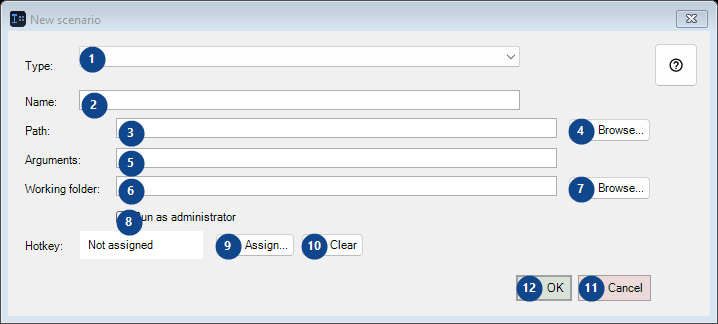
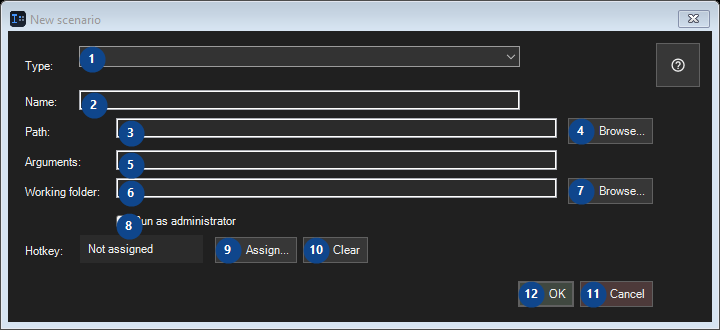
In this order
Read the numbered elements, choose the values you need, then use the window’s command to continue.
The elements
1. Type:
Choose or enter the value for the adjacent label. Review it before continuing.
Your shortcuts2. Type:
Choose or enter the value for the adjacent label. Review it before continuing.
Your shortcuts3. Path:
Choose or enter the value for the adjacent label. Review it before continuing.
Your shortcuts4. Browse...
Use this command when you need the action named above. Review any confirmation before accepting it.
Your shortcuts5. Path:
Choose or enter the value for the adjacent label. Review it before continuing.
Your shortcuts6. Path:
Choose or enter the value for the adjacent label. Review it before continuing.
Your shortcuts7. Browse...
Use this command when you need the action named above. Review any confirmation before accepting it.
Your shortcuts8. Run as administrator
Use this command when you need the action named above. Review any confirmation before accepting it.
Your shortcuts9. Assign...
Use this command when you need the action named above. Review any confirmation before accepting it.
Your shortcuts10. Clear
Use this command when you need the action named above. Review any confirmation before accepting it.
Your shortcuts11. Cancel
Use this command when you need the action named above. Review any confirmation before accepting it.
Your shortcuts12. OK
Use this command when you need the action named above. Review any confirmation before accepting it.
Your shortcuts