
Add an account on an exchange server
What this is for
Pass what you copied to your other devices through an exchange server of your own.
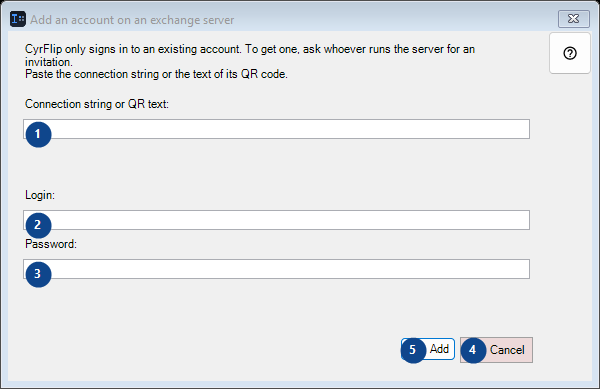
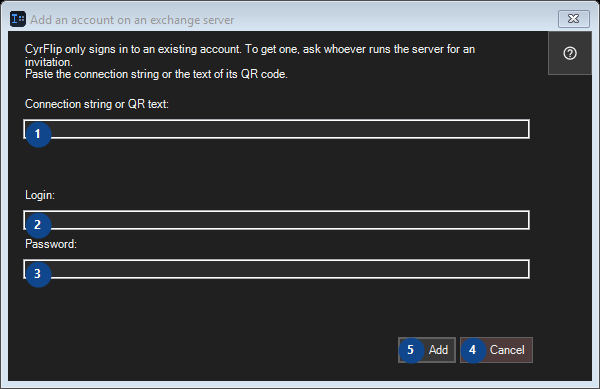
In this order
Read the numbered elements, choose the values you need, then use the window’s command to continue.
The elements
1. CyrFlip only signs in to an existing account. To get one, ask whoever runs the server for an invitation. Paste the connection string or the text of its QR code.
Choose or enter the value for the adjacent label. Review it before continuing.
Your shortcuts2. CyrFlip only signs in to an existing account. To get one, ask whoever runs the server for an invitation. Paste the connection string or the text of its QR code.
Choose or enter the value for the adjacent label. Review it before continuing.
Your shortcuts3. CyrFlip only signs in to an existing account. To get one, ask whoever runs the server for an invitation. Paste the connection string or the text of its QR code.
Choose or enter the value for the adjacent label. Review it before continuing.
Your shortcuts4. Cancel
Use this command when you need the action named above. Review any confirmation before accepting it.
Your shortcuts5. Add
Use this command when you need the action named above. Review any confirmation before accepting it.
Your shortcuts