Dialog help
The conversion did not finish
When a conversion stops before the end, the window names the cause in plain words and offers three ways on: send the logs, try again, or close.
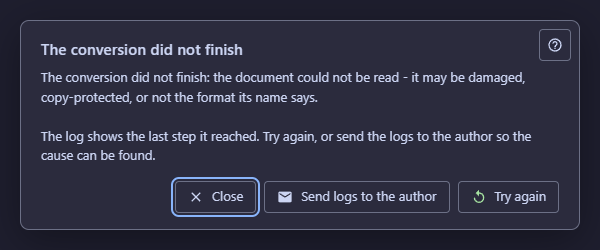
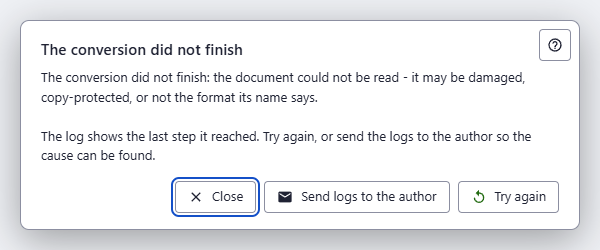
In this order
- Read the cause 2. It tells you whether to look at the file, the disk, the translation settings or nothing at all.
- If the cause is something you can fix, fix it and press Try again 4.
- If it is not clear, press Send logs to the author 3 so the author can find it.
- Otherwise press Close 5.
The elements
1Help (F1)Opens this page without closing the question.
The question stays open and waits while you read. F1 does the same.
2The causeWhy the conversion stopped, in plain words.
- The input was refused - The conversion did not finish: the converter refused the input - the file is missing, empty or a folder, or a setting was rejected.
- Reading or writing failed - The conversion did not finish: reading the document or writing the result failed - the disk may be full, the output folder read-only, or another program converting into it.
- The document could not be read - The conversion did not finish: the document could not be read - it may be damaged, copy-protected, or not the format its name says.
- Translation failed - The conversion did not finish: translation failed and no usable result was saved. Check the Google key, the network, or that Ollama is running, then try again.
- Interrupted - The conversion was interrupted before it finished; what was written is incomplete, and the next Convert rebuilds it.
- Any other stop - The window shows the converter's exit code. Send the logs so the cause can be found.
- Why
- A cause you can name is a cause you can act on; the raw error stays in the log.
- Next
- The same line is added to the log of the window.
3Send logs to the authorThe archive is selected in the folder and its path is on the clipboard - attach it to the message before sending.
Packs the stored logs into one archive, puts its path on the clipboard and starts a message to the author. The archive is attached by you; nothing is sent by itself.
- Undo
- Close the mail window without sending, and nothing leaves your computer.
4Try againRuns the same conversion again with the same settings.
What the failed run wrote is rebuilt, because a run that did not finish leaves no completion record.
5CloseCloses the question; nothing else changes.
The log keeps the cause, and what was written stays in the output folder; the next Convert rebuilds it. Pressing Esc is the same answer.
- Why
- It is the safe answer, so it has the focus.