FastMediaSorter v2 🚀


| 📖 Other Languages: 🇷🇺 Русский | 🇺🇦 Українська |
About the Project
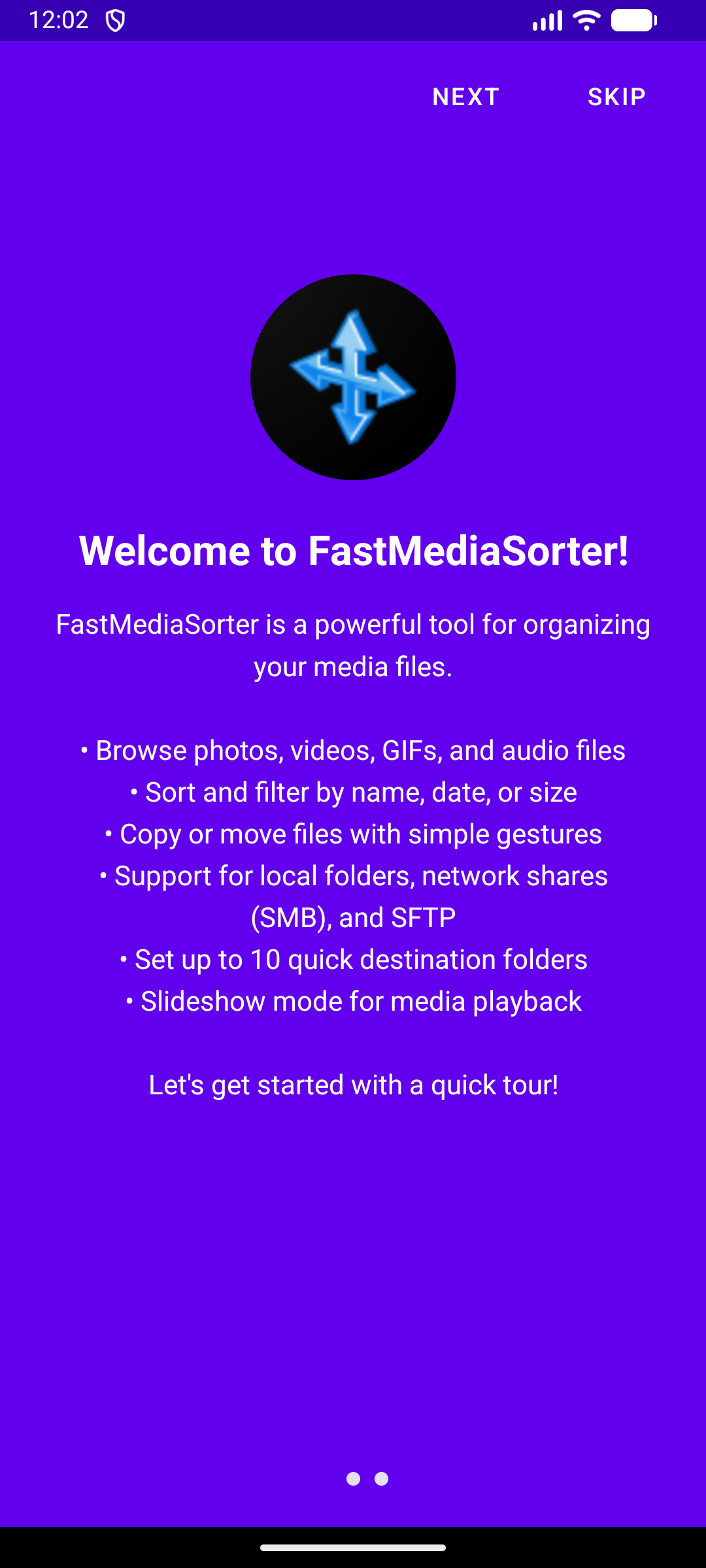
FastMediaSorter v2 is a powerful Android application for quick and convenient sorting of media files (images, videos, GIFs, audio, documents). It is designed as a single center for managing files from various sources: local device folders, network drives (SMB, SFTP, FTP), and cloud storage (Google Drive, OneDrive, Dropbox).
The key idea of v2 is to combine viewing, playback, and organization of files in one intuitive interface, eliminating the shortcomings and limitations of the previous version.
Windows Version 🖥️
Looking for a desktop solution? Check out FastMediaSorter LITE - a lightweight Windows Forms application for quickly sorting, viewing, and managing image and video files:
🔗 FastMediaSorter LITE for Windows
Features include:
- Fast navigation through large folders of images and videos
- Slideshow and random file viewing modes
- Recent files and folders tracking
- File operations: move, copy, rename, and delete
- Image panel for quick visual navigation
- Customizable keyboard shortcuts for efficient workflow
- Multi-language support (English/Russian)
- Supports Windows 7/10/11 with .NET Framework 4.8
Table of Contents
- Download
- Product Flavors
- Key Features
- Supported Media Formats
- Screenshots
- Usage Scenarios
- Documentation
- Wear OS Companion
- Build Instructions
- Testing
- First Steps
- Tech Stack
Product Flavors 🎯
FastMediaSorter v2 is available in 4 different flavors to suit different needs and reduce app size:
| Flavor | Description | Features |
|---|---|---|
| Standard | Full-featured version | Broadest feature set for media, documents, OCR, and integrations |
| Lite | Lightweight daily-use version | Core media workflows with reduced complexity |
| Photos | Image-centric version | Focused experience for photo browsing and organization |
| Legacy | Compatibility-focused version | Optimized for older Android devices (API 23-25) |
Which Flavor Should I Download?
- Standard ⭐ (Recommended): Best default choice for most users
- Lite: Prefer this if you want a lighter package and simpler setup
- Photos: Prefer this for photo-first workflows
- Legacy: Choose this for older Android devices (API 23-25)
For exact feature-by-flavor availability, use the canonical documentation:
- Feature Inventory (canonical)
- How-To (feature availability table)
- Quick Start (flavor chooser)
- Program Limitations
Download 📥
Compiled APK files are NOT stored in this GitHub repository. All builds are available on Google Drive:
🔗 Download All Builds from Google Drive
| Flavor | File Name | Description |
|---|---|---|
| Standard | FastMediaSorter_standard_release.zip |
Full features (Cloud, OCR, EPUB, Translation) |
| Lite | FastMediaSorter_lite_release.zip |
Local media focus (Videos, Audio, Images; no cloud/documents) |
| Photos | FastMediaSorter_photos_release.zip |
Images only (with cloud support) |
| Legacy | FastMediaSorter_legacy_release.zip |
Full local media (Android 6/7 compatibility, API 23-25) |
Note: All builds are automatically uploaded to Google Drive after successful compilation.
🔐 ZIP Password:
1(APK files are packaged as password-protected ZIP archives to bypass Google Drive restrictions)
Screenshots 📱
| Main Screen | File Actions | Settings |
|---|---|---|
 |
 |
 |
| Player View | ||
 |
Full-size images:




Key Features
- 🗂️ Unified Interface: View and manage files from all sources in one window.
- ⚡ Fast Sorting: Copy or move files to pre-configured destination folders with one click.
- ⭐ Favorites System: Mark important files as favorites and access them quickly from a dedicated tab that aggregates favorites across all sources.
- 🔒 PIN Protection: Secure individual resources with access PIN codes to prevent unauthorized browsing and editing.
- ⚙️ Per-Resource Configuration: Customize slideshow interval, scan depth (subdirectories), and thumbnail generation for each folder individually.
- 📋 Predefined Smart Resources: Built-in virtual resources - All Music, All Videos, All Photos - that aggregate media from your entire device with zero configuration. Instantly access your full media library without manually adding individual folders.
- 🖥️ Network and Cloud Support: Work with files on your network drives (SMB with automatic network scanning), SFTP servers, FTP, and in cloud storage (Google Drive, Dropbox, OneDrive).
- 🖼️ Flexible Viewing: Display files as a customizable grid or detailed list with pagination support for large collections (1000+ files).
- ▶️ Built-in Player: Playback of video and audio, viewing images and GIFs without leaving the app. Supports slideshow and full-screen zooming.
- 🧩 Default Player Integration: Optional playback toggles let FastMediaSorter act as a system media handler for open/share intents (ACTION_VIEW / ACTION_SEND), and route hardware media-button wake events to the audio playback service.
- 🎛️ Hardware Button Support: Steering wheel controls, headset buttons, and physical media keys (Play/Pause, Next, Previous) are fully supported via the background audio service - no screen interaction required.
- 🎵 Lyrics Support: View song lyrics for the currently playing track. Automatically searches by metadata (Artist/Title) using
api.lyrics.ovh, with fallback to filename parsing. - 🎶 Slideshow Background Music: Play background music during image slideshows. Select any audio resource as your music source, with random track playback, volume control, and track name display. Tap the track name to skip to a different random track. Works seamlessly with network and cloud files.
- ✏️ Image Editing: Rotate, flip, apply filters (grayscale, sepia, negative), adjust brightness/contrast/saturation - for both local and network files.
- 🗂️ Binary Files Support: View and manage binary files (ZIP, RAR, APK, ISO, EXE, DLL, etc.) with generated thumbnails showing file extensions. Context menu with Share/Open With/Copy/Move/Rename/Delete. Available only in “All Files” mode.
- ⌨️ Keyboard, Mouse & Gamepad: Full keyboard, mouse, and gamepad input across all screens - Browse, Player, Settings, dialogs. Fully remappable via Settings → Input → Keybindings; press F1 on any screen for a per-surface help overlay. D-pad list navigation; right-click context menu and hover effects for mouse.
- 🔍 Sorting and Filtering: Order files by name, date, size, and duration. Apply filters for quick search. Support for hidden files (starting with
.) with dedicated toggle. - ↩️ Undo & Trash: Ability to undo the last action (copy, move, delete) with soft-delete to
.trash/folder. Includes “Empty Trash” functionality for resources. - 🎨 Modern Interface: Support for light and dark themes, intuitive controls, Material Design 3.
- 💾 Smart Caching: Two-stage video metadata loading (1MB initial, 5MB extended) and configurable thumbnail cache (2GB default, up to 16GB).
- 📄 Document Viewer: Built-in viewer for Text files (.txt, .md, .log, .json, .xml) and PDF documents with zoom, pan, and gesture navigation.
- 📚 EPUB E-Book Reader: Native EPUB reader with chapter navigation, table of contents, font size control, in-book search, and dark/light theme support. Works with local and network files.
- 📥 Download & Open: Download network files (SMB/SFTP/FTP) to local storage and open them in external apps with progress tracking.
- 🌐 Auto-Translation: Instantly translate text from images, PDFs, and text files using a Hybrid OCR System (Google ML Kit + Tesseract) for superior accuracy in both Latin and Cyrillic scripts. Supports both standard and lens-style overlay mode for in-place translations.
- 📱 Widget Support: Quick access to your favorite folders directly from your home screen with two widget types: Resource Shortcut (opens any folder instantly) and Continue Reading (launches slideshow mode immediately).
- ⏰ Scheduled File Operations: Automate file operations (Copy/Move/Delete) using time-based rules with flexible filters and background execution.
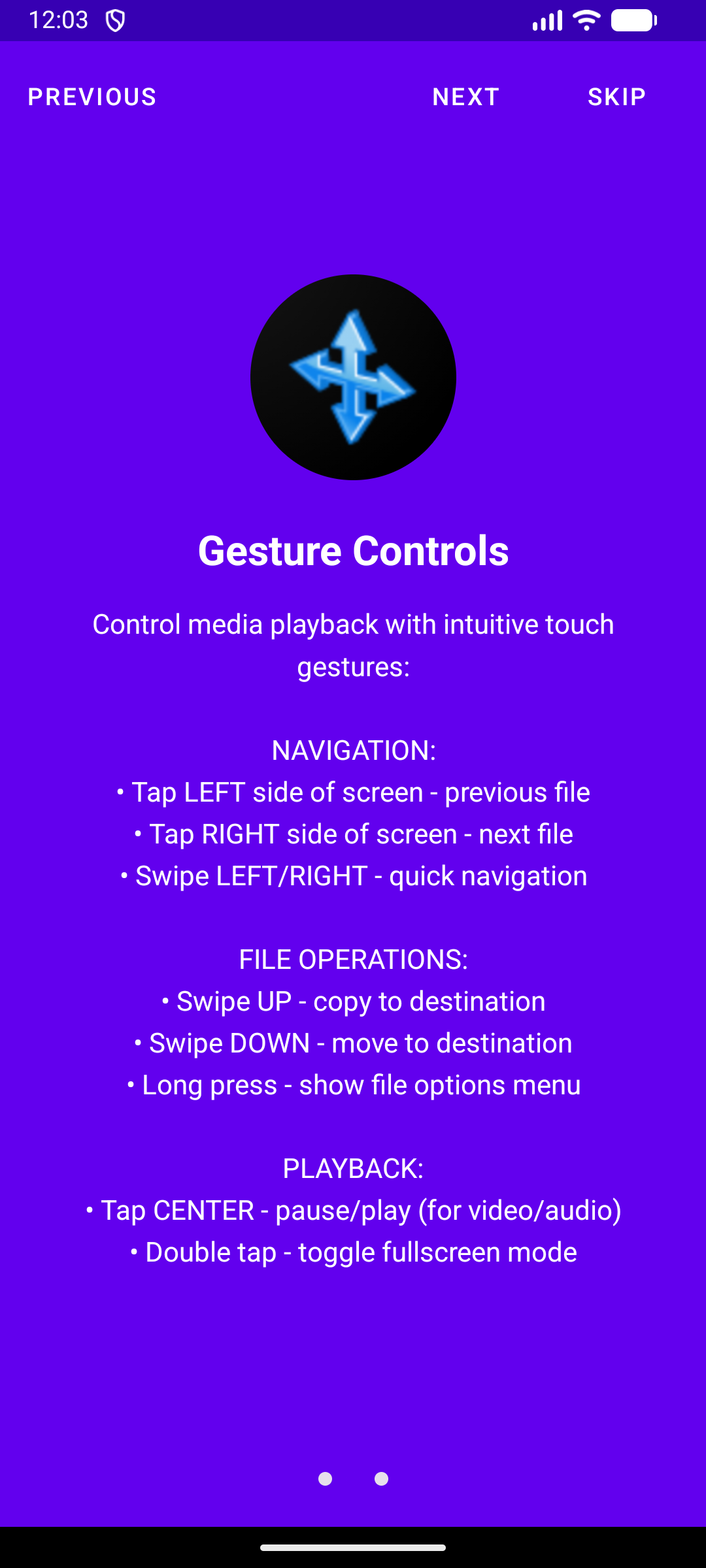
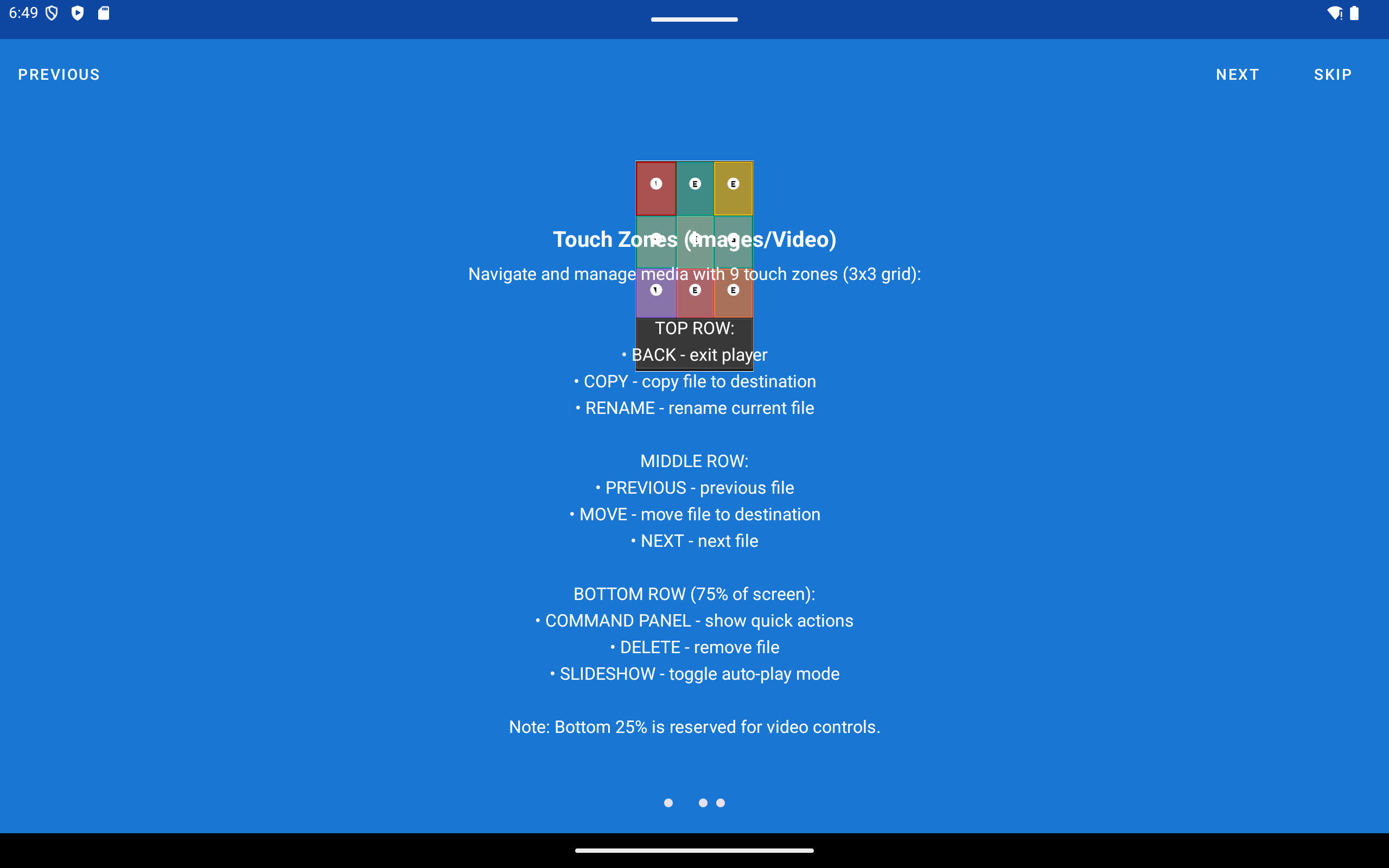
- 👆 Advanced Gestures: Smart zoom controls (2x/3x/4x) for images and intuitive touch zones for file navigation.
- 📸 Save Frame: Capture the current video frame as a PNG or JPG snapshot and save it to any configured resource - local or network. Output format and destination folder are set in Video Settings.
- 🖨️ Print: Send documents (PDF, TXT) and images to a printer directly from the built-in player. Network and cloud files are cached locally before printing.
- ⬇️ Stream Offload: Download a network file to local cache with a real-time progress dialog before or during playback. An optional cleanup prompt reclaims storage afterward.
- 🔊 DTS/DTS-HD Audio: DTS and DTS-HD audio tracks are decoded in software via a custom FFmpeg build - no special hardware required.
- 🎨 Video Color & Brightness: Adjust Hue and Brightness in real time using Media3 GPU effects. Settings persist across video files during the session.
- 📤 Share to FastMediaSorter: Receive files from any app via the standard Android Share sheet and copy them to a selected resource with a single tap.
- 📷 Camera Capture in Browse: Take a photo with the device camera and save it directly to the current resource - local or network - without leaving the app.
- 🔗 Link Auto-Download: Share any http(s) URL to the app via the Android Share sheet; the media file is downloaded and saved to a selected resource automatically.
- 👁️ Single-Eye 3D Mode: Crop stereo (SBS/OU) content to one eye for comfortable viewing on flat screens; works for both video and images.
Supported Media Formats 🎞️
FastMediaSorter v2 supports a wide range of formats:
- Images: JPG, JPEG, PNG, GIF, BMP, WEBP, HEIC, HEIF
- Video: MP4, MKV, MOV, WMV, FLV, WEBM, M4V, 3GP, MPG, MPEG
- Audio: MP3, FLAC, AAC, OGG, M4A, WMA, OPUS, DTS, DTS-HD
- Documents: TXT, MD, LOG, JSON, XML, PDF, EPUB
- Binary Files (All Files mode): ZIP, RAR, 7z, TAR, GZ, ISO, DMG, IMG, APK, EXE, DLL, SO, and 60+ other formats
Usage Scenarios 💡
Here are a few ways FastMediaSorter v2 can help you:
1. 📸 Organizing Camera Photos
Connect your phone or open a local camera folder. Set up a “Best Photos” destination folder. Open the viewer, quickly swipe through thousands of photos, and tap the destination button to instantly copy the best shots.
2. 🏠 Network Backup (NAS)
Add your home NAS via SMB. Browse your local media files. Select multiple files or a range, and “Move” them to your NAS for safe keeping, freeing up space on your device.
3. ☁️ Cloud Management
Connect your Google Drive, Dropbox, or OneDrive account. Browse your cloud files without downloading them all. Delete unwanted files or organize them into folders directly in the cloud.
4. 📺 Slideshow & Presentation
Open a folder with family photos or presentation slides. Hit “Play” to start a slideshow. Use the per-resource settings to adjust the slide duration to your liking.
5. ⭐ Managing Favorites
Mark important files with the star button while browsing. Later, tap the “Favorites” tab in the main menu to instantly access all your favorite files from all sources in one place - perfect for creating a curated collection of your best media.
6. 🎶 Slideshow with Background Music
Add your music collection as a resource. In Settings → Audio, enable “Slideshow Background Music” and select your music resource. Now when you start a slideshow of your photos, your favorite tracks will play in the background. Tap the track name to skip to a different random song, creating the perfect ambiance for your photo presentations.
7. 🖼️ Digital Photo Frame on a Tablet
Turn any Android tablet into a beautiful always-on digital photo frame. Place it on a stand, connect to your home PC (SMB) or cloud storage - photos stream directly without occupying any local storage. Adjust the slide interval, keep the screen always on, add background music, and enjoy your memories. Even old, slow budget tablets work perfectly for this purpose - the app is optimized for low-resource continuous playback.
8. 🍿 Home Cinema & VR
Watch your favorite series stored on your PC or cloud directly on your phone or VR headset. No need to wait for copying or worry about free space. Just press play, and the next episode will start automatically.
VR Headset Use Cases - FastMediaSorter runs natively on Android-based VR headsets (Meta Quest, Pico, and similar) without any modifications:
- 🎬 Giant Virtual Cinema: Open a video from your home NAS or cloud storage and watch it on a virtual screen the size of an entire wall. No need to copy gigabyte files to the headset - the app streams directly over your home network. When one episode ends, the next starts automatically.
- 🎵 Immersive Music Player: Launch your music collection in the VR environment. The background audio service keeps music playing even when you switch between apps or open the VR home screen. Hardware headset buttons (play/pause, next track) work without touching the controller.
- 🖼️ Wall-Sized VR Photo Frame: Turn your VR headset into an immersive photo experience - start a slideshow and your photos fill an enormous virtual wall around you. Pair it with background music for a cinematic, room-filling memories experience. Stream photos directly from your home PC or cloud so the headset storage stays free.
9. 🧹 Download Organizer
Downloads folder cluttered? Open it in the source panel, set up destination buttons for “Documents”, “Images”, and “Installers”. Quickly scan through files, preview them, and sort them into the right places with a single tap. You can even sort files directly on your network computer using your phone as a remote control.
10. 🚗 In-Car Music with Android Head Unit
Install FastMediaSorter on your Android-powered car stereo or head unit. Add USB drive or SD card music folders - or use the built-in All Music virtual resource to instantly access your entire collection with zero setup. Hardware media buttons (steering wheel controls, volume knobs) work seamlessly via the background audio service: play/pause, next/previous track, all without touching the screen. The app remembers playback position and resumes automatically on startup.
Documentation 📚
🗺️ Documentation Map / Карта документации: View all docs / Все документы
🌐 Official Website: https://serzhyale.github.io/FastMediaSorter_mob_v2/
Canonical Sources (Single Source of Truth)
The following files should be treated as the authoritative sources for user-facing details:
- Complete Feature List
- Documentation Map
- Downloads (EN)
- How-To Guides
- Program Limitations
- Quick Start Guide
- Terms of Service
Detailed guides are available in multiple languages:
🇺🇸 English:
- How-To Guides
- Quick Start
- FAQ
- Troubleshooting
- Program Limitations
- Downloads Guide
- Complete Feature List
- Module Selection Guide
🇷🇺 Русский:
🇺🇦 Українська:
Technical / Developer Docs:
- Architecture Overview
- DevOps & Build Scripts
- Technology Stack
- Wear OS Documentation
- Open Source Components
Wear OS Companion ⌚
FastMediaSorter includes a Wear OS companion app designed for quick access on smartwatch form factors.
- Browse and play local media directly on Wear OS devices
- UI and runtime behavior optimized for small circular/compact screens
- Dedicated setup, build, and troubleshooting documentation for watch workflows
Wear OS docs:
Build Instructions
Requirements
-
Android Studio Hedgehog (2023.1.1) or newer
- JDK 17+
- Android SDK 35
- Minimum Android version: 8.0 (API 26) for Standard/Lite/Photos; 6.0 (API 23) for Legacy
Build
-
Clone the repository:
git clone https://github.com/SerZhyAle/FastMediaSorter_mob_v2.git cd FastMediaSorter_mob_v2 - Open the project in Android Studio.
- Wait for Gradle synchronization to complete.
- Run the app on an emulator or physical device.
Preferred Build Commands (Windows / PowerShell)
.\build-debug.PS1
.\gradlew.bat assembleStandardDebug
.\gradlew.bat testStandardDebugUnitTest
.\gradlew.bat lintStandardDebug
Built APKs 📦
After every successful build, the generated APK file is automatically copied to the DOWNLOADS folder in the project root with a timestamp. You can find all your build history there.
Testing 🧪
FastMediaSorter v2 uses Maestro for end-to-end testing to ensure app quality and reliability.
Quick Test Run
# Install Maestro - macOS/Linux (Homebrew)
brew tap mobile-dev-inc/tap
brew install maestro

# Or Linux/macOS (curl)
curl -Ls "https://get.maestro.mobile.dev" | bash

# Windows (PowerShell as Administrator)
Invoke-WebRequest -Uri "https://get.maestro.mobile.dev/install.ps1" -OutFile install.ps1
.\install.ps1
Remove-Item install.ps1

# Run smoke tests (2-3 minutes)
./maestro/run-tests.sh smoke    # Linux/macOS
.\maestro\run-tests.ps1 smoke   # Windows

# Or use shortcut
.\scripts\utils\run-maestro-smoke.ps1  # Windows
Note: DO NOT use npm install -g maestro-cli - that’s a different, unrelated package!
Test Suites
- Smoke Tests (
maestro/smoke/): Core functionality tests (~2-3 min)- App launch and permissions
- Local file browsing
- Media playback
- Image viewing
- Critical Path Tests (
maestro/critical/): Essential operations (~1-2 min)- File operations (copy, move, delete)
- Settings persistence
Documentation
CI/CD Integration
Tests run automatically on every push via GitHub Actions. See .github/workflows/maestro-tests.yml.
First Steps (Quick Usage Guide) 🚀
- Adding a Folder (Resource):
- On the main screen, press the button with the “Plus” (+) icon to add a new resource.
- Select the resource type (e.g., “Local Folder”).
- Use scanning or add the folder manually. After adding, it will appear in the list on the main screen.
- Viewing Files:
- Double-tap (or long press) on the added resource in the list.
- The browse screen will open, where you will see all media files from this folder as a list or grid.
- Use the buttons on the top panel for sorting, filtering, or switching view.
- Playback and Sorting:
- Tap on any file to open it in the full-screen player.
- Use swipes left/right or touch zones for navigation between files.
- For operations (copy, move), use the corresponding touch zones or buttons on the control panel.
- Configuring Destination Folders (Destinations):
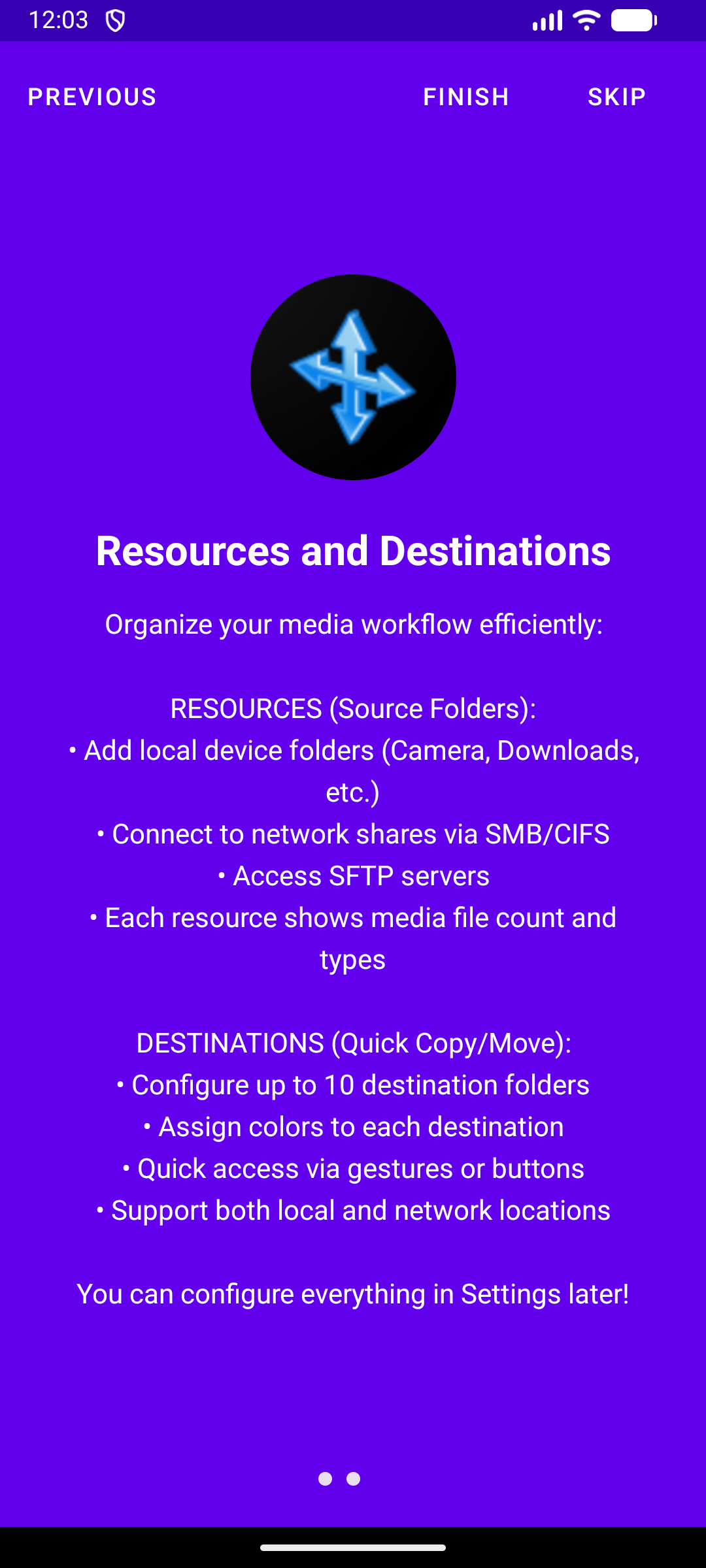
- In settings, on the “Destinations” tab, you can specify up to 30 folders that will be used for quick sorting.
- Alternatively, enable “Is Destination” in any resource’s edit screen to add it to the quick sort list.
- After that, buttons for quick copying or moving files to these folders will appear on the player screen.
Technology Stack
- Language: Kotlin
- Architecture: Clean Architecture, MVVM
- UI: Android View System (XML), Material Design 3
- Asynchrony: Kotlin Coroutines & Flow
- DI: Hilt (Dagger)
- Database: Room (version 6 with cloud provider support)
- Navigation: AndroidX Navigation Component
- Media: ExoPlayer (Media3 1.2.1)
- Image Loading: Glide 4.15.1 with custom NetworkFileModelLoader
- Network Protocols:
- SMB: SMBJ 0.12.1 with BouncyCastle 1.78.1
- SFTP: SSHJ 0.37.0 with EdDSA 0.3.0
- FTP: Apache Commons Net 3.10.0
- Cloud: Google Drive API, OneDrive (MSAL), Dropbox API with OAuth 2.0
- OCR & Translation:
- Google ML Kit (Text Recognition v2, Translation) for Latin scripts
- Tesseract4Android (Tesseract 5.3.x) for high-accuracy Cyrillic OCR
- Search & Lyrics: api.lyrics.ovh (JSON API)
Build Version
Version format: Y.YM.MDDH.Hmm (e.g., 2.60.1102.207 for 2026/01/10 20:07)
See dev/CHANGELOG.md for detailed release notes.
Contributing 🤝
Pull requests are welcome. For major changes, please open an issue first to discuss what you would like to change.
Contact 📧
- Developer: sza@ukr.net
- Website: https://serzhyale.github.io/FastMediaSorter_mob_v2/
- GitHub Issues: https://github.com/SerZhyAle/FastMediaSorter_mob_v2/issues
License 📄
Project legal information: