26.10.10 14:45
Exchange server: your devices from any network
Not available yet. No public exchange server is running. The phone side is ready: the phone’s SFTP server can already register on an exchange server (Settings, General, Share over SFTP, Access from anywhere), but there is no server to register on yet. Accounts, one folder list across devices and Cast between devices come with the server. Until then, use the ways listed under What works today.
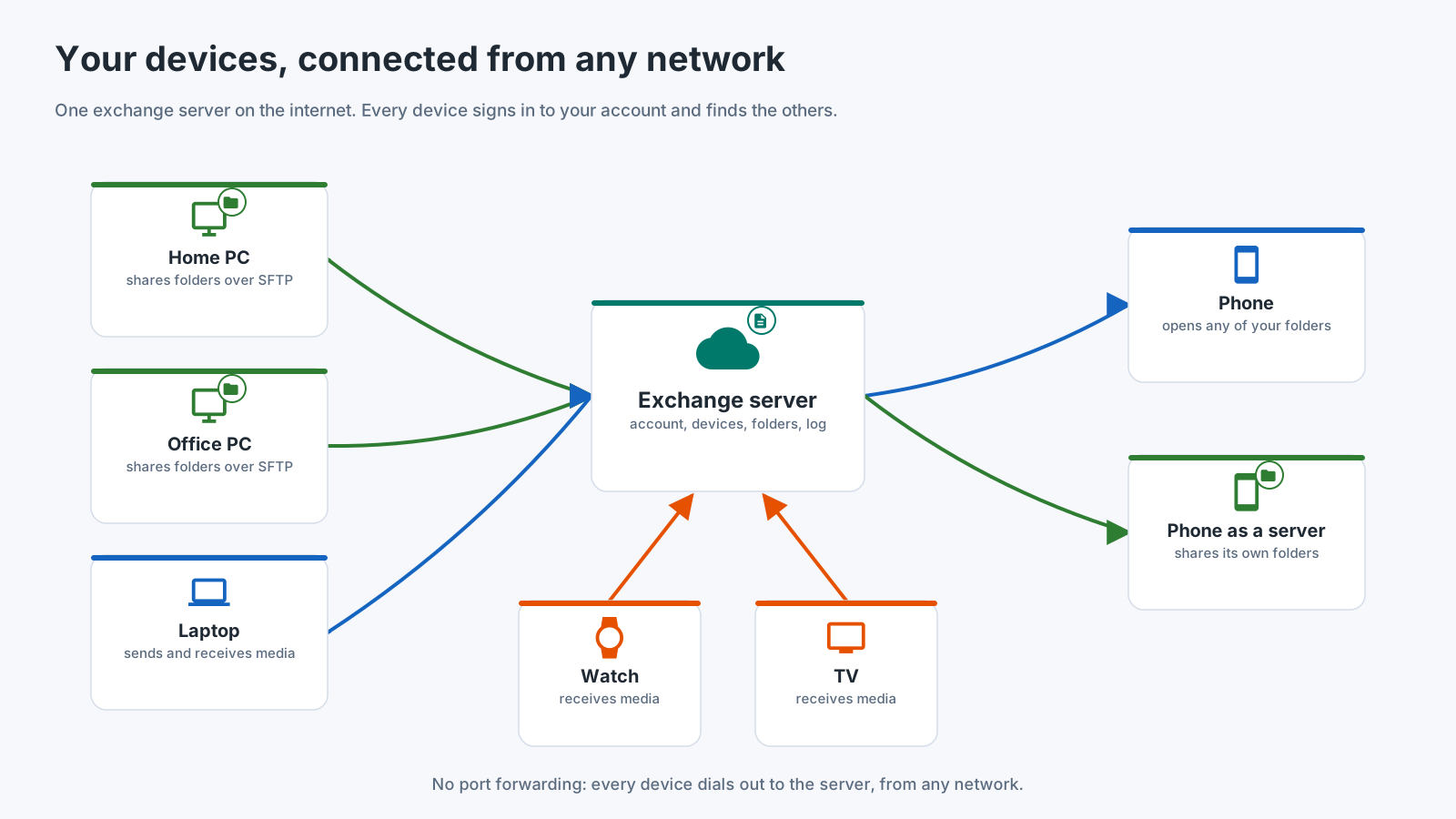
The exchange server is for the case the home network cannot cover: a provider that gives you no public address, a hotel Wi-Fi, a mobile network. Every device dials out to the server, so nothing has to be opened in any router.
How it will work
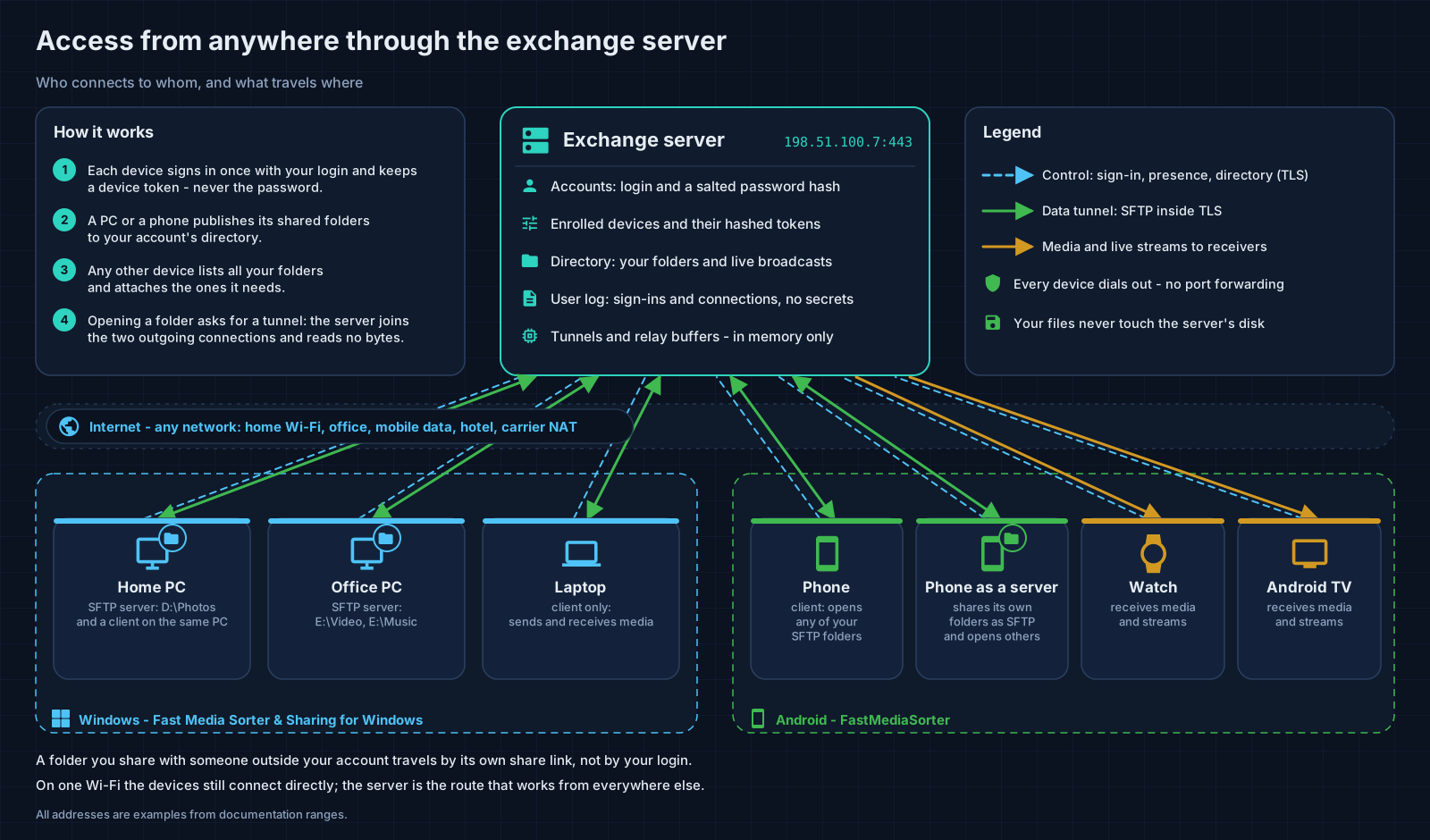
- Each device signs in once and keeps a device token, never your password.
- A PC or a phone publishes its shared folders.
- Any other device lists all your folders and attaches the ones it needs.
- Opening a folder asks for a tunnel, and the server joins the two outgoing connections without reading the bytes. Inside the tunnel the folder still travels over encrypted SFTP, end to end.
On one Wi-Fi network the devices still connect to each other directly. A folder for someone outside your account travels by its own share link.
Where the server comes from
The exchange server is a program that is built as an optional component of the Windows package of Fast Media Sorter & Sharing for Windows. It is unticked at installation and off until you enable it, and it is administered in Share Manager: accounts, devices, the public address, the certificate and running it as a Windows service. It is not in any released package yet.
Whoever runs a server is its operator. An operator can see what is listed under What the server keeps below, and never your files, which pass through without being read. There is no public deployment: nobody runs a server for everybody, and nothing is available to use yet. How devices connect to a server is a proposal until two independent programs agree on it, so this page describes the idea, not a finished protocol.
What the server keeps
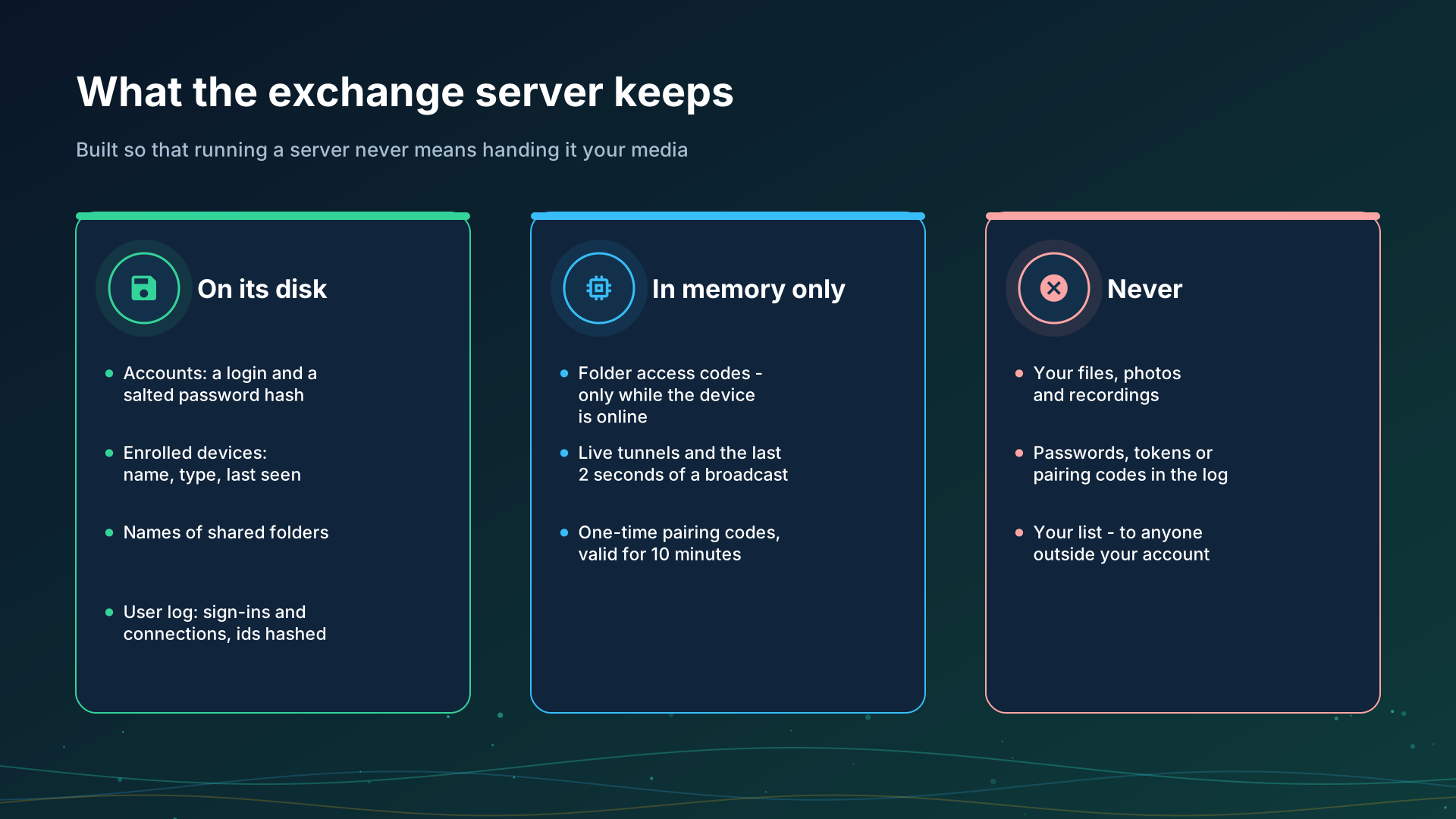
On its disk:
- Accounts: a login and a salted password hash.
- Enrolled devices: name, type, last seen.
- The names of shared folders.
- A user log, with identifiers hashed.
In memory only:
- Folder access codes, while the device that shares the folder is online.
- Live tunnels, and the last two seconds of a broadcast.
- One-time pairing codes, valid for ten minutes.
Never:
- Your files, photos and recordings - they pass through a tunnel and never touch the server’s disk.
- Passwords, tokens or pairing codes in the log.
- Your folder list, for anyone outside your account.
What works today
- The home network: a forwarded port and a public address or a dynamic DNS name make your folders reachable from anywhere - see Home network.
- The Server edition of the Windows program keeps a PC’s folders available around the clock, with no exchange server: it runs the same SFTP sharing as a Windows service that starts at boot, and paired phones keep working - see Windows servers.
- A VPN to your home network works with every network folder, because the app then sees your home addresses as local ones.
- Google Drive keeps the phone’s address up to date. Switch on Share access through Google Drive in the phone’s SFTP server card (it is off by default): while the server runs, the phone then writes its current address and sign-in details into the app’s private space of your Google Drive. Another device signed in to the same Google account then opens the paired folder at its new address after a network change, without scanning the code again. The device still has to be able to reach the phone - on the same network, over a VPN or through a forwarded port; Drive only tells it where to look.
- Clouds - Google Drive, Dropbox and OneDrive are a shared box every signed-in device opens - see Clouds.
Step-by-step guides
- Turning the phone into an SFTP server
- Sharing PC folders with Fast Media Sorter & Sharing for Windows
- Google Drive integration
Back to the portal start page.