Home screen, media, streams, apps, watch and files - all in one place.
Fast Media Sorter & Organizer takes over the home screen and becomes the place everything
starts from: device shell, media player, live streams, app launching, a replacement for stock apps,
a companion on the watch, device monitoring and a full file manager for local storage, SMB/NAS,
SFTP/FTP and cloud drives.
Usage Scenarios
Each block starts with a quick answer and opens into practical detail when you need the
setup path.
Standard Only
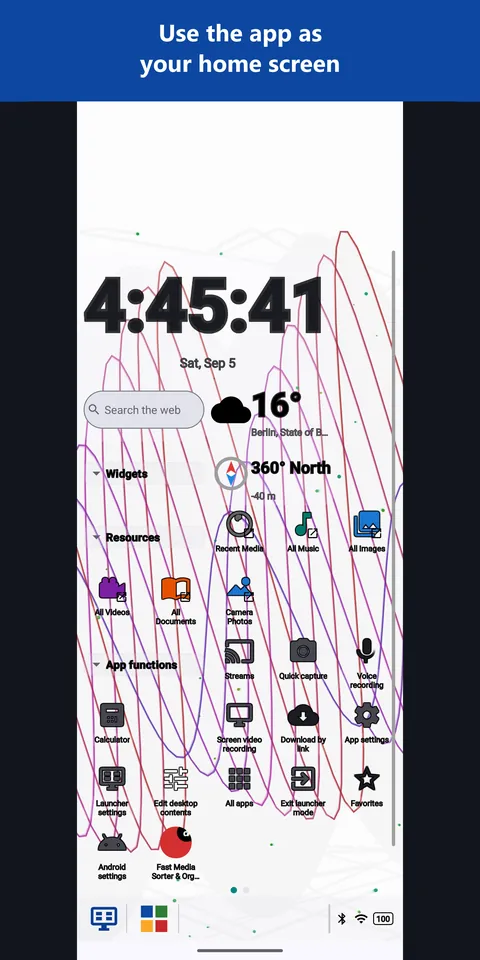
Replace your device's home screen with the app's own desktop - your folders, a clock, the weather, your apps and a taskbar, arranged the way you want.
Details
Turn an old tablet into a wall panel showing the clock, the weather and your NAS photo folder.
Place folders, gadgets, contacts and app shortcuts on a desktop that keeps portrait and landscape apart.
Use the Start menu and the taskbar for recent and pinned apps, and leave launcher mode whenever you want.
Use Fast Media Sorter as your internet-radio and IPTV player - add station
URLs, import .m3u playlists, or download the curated catalog and play while driving.
Details
Enable Streams in Settings > Media > Streams or from the main menu.
Add a station URL manually or import a .m3u playlist from a URL.
Download the curated Fast Media Sorter catalog for ready-made stations with topic and language
tags.
Radio plays inline with a sticky now-playing bar; video/RTSP opens fullscreen.
Browse and play music directly on your Wear OS watch with album art, shuffle, bezel volume, and battery-saving screen-off mode.
Details
Stream audio tracks from your paired Android phone or play local watch storage.
Control playback with rotary crown/bezel volume and draggable touch seekbar.
OLED screen-off mode powers off display pixels while playback continues.
A separate free watch face for Wear OS 6 and newer is on Google Play: on the watch, open Play and search for FastMediaSorter, or use the FastMediaSorter Watch Face page.
Share a folder from a Windows PC straight to the app: the free
Fast Media Sorter & Sharing for Windows
runs a secure SFTP server for it - pairing is one imported config file, no manual host/port/key entry.
Details
Install Fast Media Sorter & Sharing for Windows on the PC: GitHub release, winget install SerZhyAle.FastMediaSorter, or "FastMediaSorter LITE" in Microsoft Store (published under its former name).
Pick the folders to share on the PC - server, keys and autostart are set up automatically.
On the phone: Add resource > SFTP/FTP > Import from companion, then open the exported .fmscfg file.
Switching the home screen is reversible: leave launcher mode whenever you want and the previous home screen comes back. Files do not change until you choose Copy or Move.
In the welcome wizard, or later in Settings, General, Primary startup window, choose Device home screen and confirm it when Android asks.
Press Home: the desktop is already laid out for your device - move, add and resize its squares in edit mode.
Allow file access if Android requests it, then tap Add resource to bring a local, network or cloud folder into the shell.
Your home screen, arranged your way
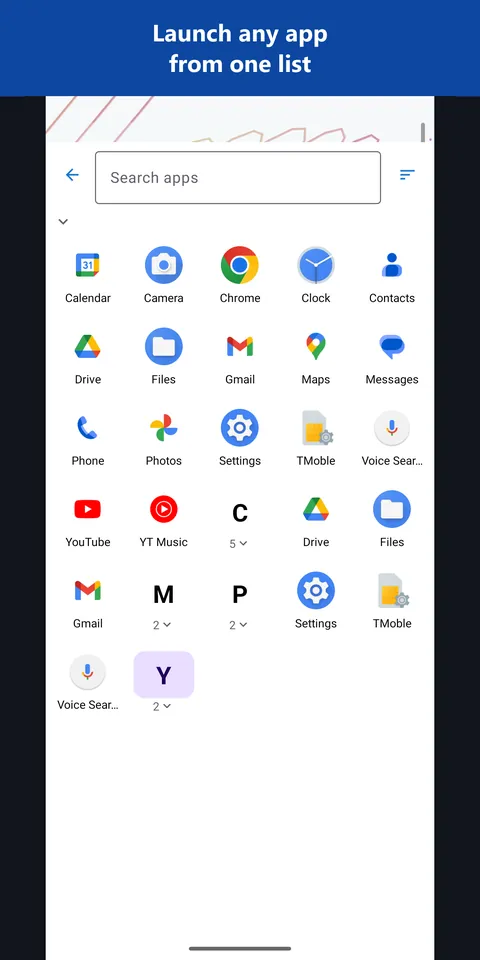
Set Fast Media Sorter as the home screen and the device starts in your layout: a desktop with your folders, clock, weather and live gadgets, a taskbar with a Start menu, pinned and recent apps, and every installed app one tap away.
Hover or select a card to preview the screen.
Home screenPreviewAll appsPreviewNetwork monitorPreview
Fast Media Sorter combines a home screen, an app launcher, a media player, a stream player and a file manager. Instead of separate apps for the launcher, video, music, galleries, reading, network folders and cloud storage, you use one shell with one familiar set of actions.
Home Screen & Device
Launcher / home screen(stock launcher) - a desktop of folders,
shortcuts and live gadgets, a taskbar with a Start menu, pinned and recent apps. standard edition
App drawer(stock app list) - every installed app in one searchable list,
grouped by letter.
Clock, weather and compass(stock clock and weather apps) - built-in gadgets for
the clock, world clock, weather, map, compass and speed.
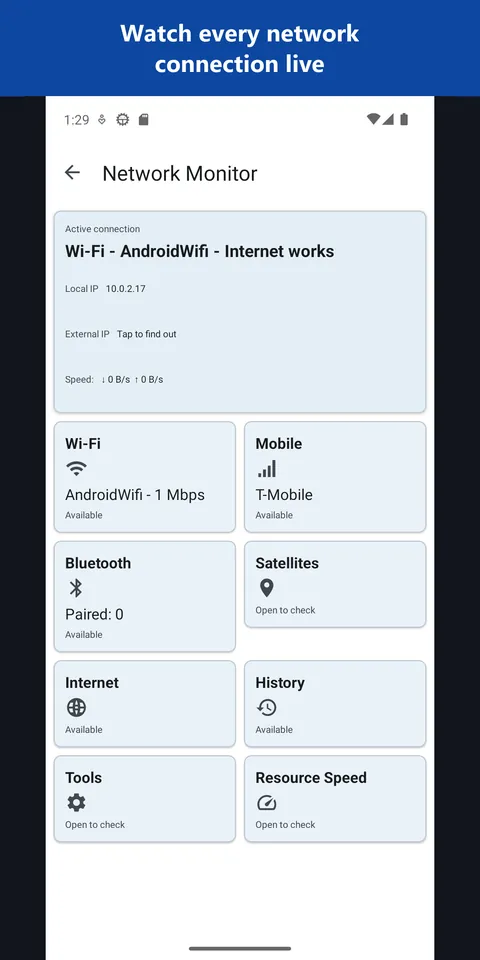
Device monitor(system info apps) - network, battery, storage and memory
gadgets, plus a live list of network connections.
Home-screen widget pack - quick-launch and status widgets for recorder, camera
OCR, scheduled tasks, now playing, and photo frame.
Viewing & Playback
Video player - video, Blu-ray
TS/.m2ts, picture-in-picture, frame screenshots, Chromecast casting.
Slideshow / photo frame - rotating photos with background music, plus a
photo-frame widget.
TV media center - D-pad,
keyboard, mouse, gamepad, and TV-remote-friendly browsing and playback.
VR media player - stereo
SBS/OU, VR180, 360°, virtual cinema screen. VR edition
Internet radio / IPTV player - Streams screen plays http/https radio, HLS/DASH, and RTSP
sources; inline mini-player with ICY now-playing; curated station catalog.
Capture & Create
Camera(stock camera) - photo and video straight
to a chosen local, network, or cloud folder.
Voice recorder - voice notes plus a quick-record widget.
Drawing editor - canvas, brushes, shapes, text, custom brush color and size.
Document / text scanner
- on-device OCR from the camera with area crop.
Text & Utilities
Text / Markdown editor - edit .txt/.md with syntax highlighting and auto-save.
Translator - fully
offline translation.
Calculator - built-in evaluation of expressions from selected text. basic
Cast to TV - Chromecast for both
video and audio.
Settings backup tool - export and restore app setup, sources, favorites,
schedules, passwords, and sign-ins. app setup only
File Management
File manager - local, network, and cloud files in one place.
FTP/SFTP/SMB client -
network sources with SSH keys and host-key pinning.
Cloud clients(Google Drive, Dropbox, OneDrive) -
cloud drives as media sources.
Duplicate finder - 3-phase
Size -> Hash -> SHA-256 engine.
Recycle bin - soft delete with one-tap
restore.
Archive extractor - ZIP extraction,
including password-protected. basic
Download manager - paste a link and
save directly to a chosen folder.
Task scheduler - scheduled file operations.
Honesty notes: the calculator and archiver are basic (evaluate-from-text / ZIP
extraction), not full replacements. Settings backup covers the app's own setup, not full-device backup. The
VR player is VR-edition only.
User Guides
What's New in v2.x
A compact release overview for the latest user-visible changes.
Details
Tracks recent features, fixes, and behavioural changes.
Useful before updating, testing, or checking what changed since the last build.