26.10.10 14:45
Live broadcast: any device on air, your other devices listening
A live broadcast sends what a device sees or hears right now - its camera, its microphone - to your other devices while it happens. It works today on one Wi-Fi network. The relay for other networks, Cast between your own devices and broadcasting from a PC are not available yet; each is marked below.
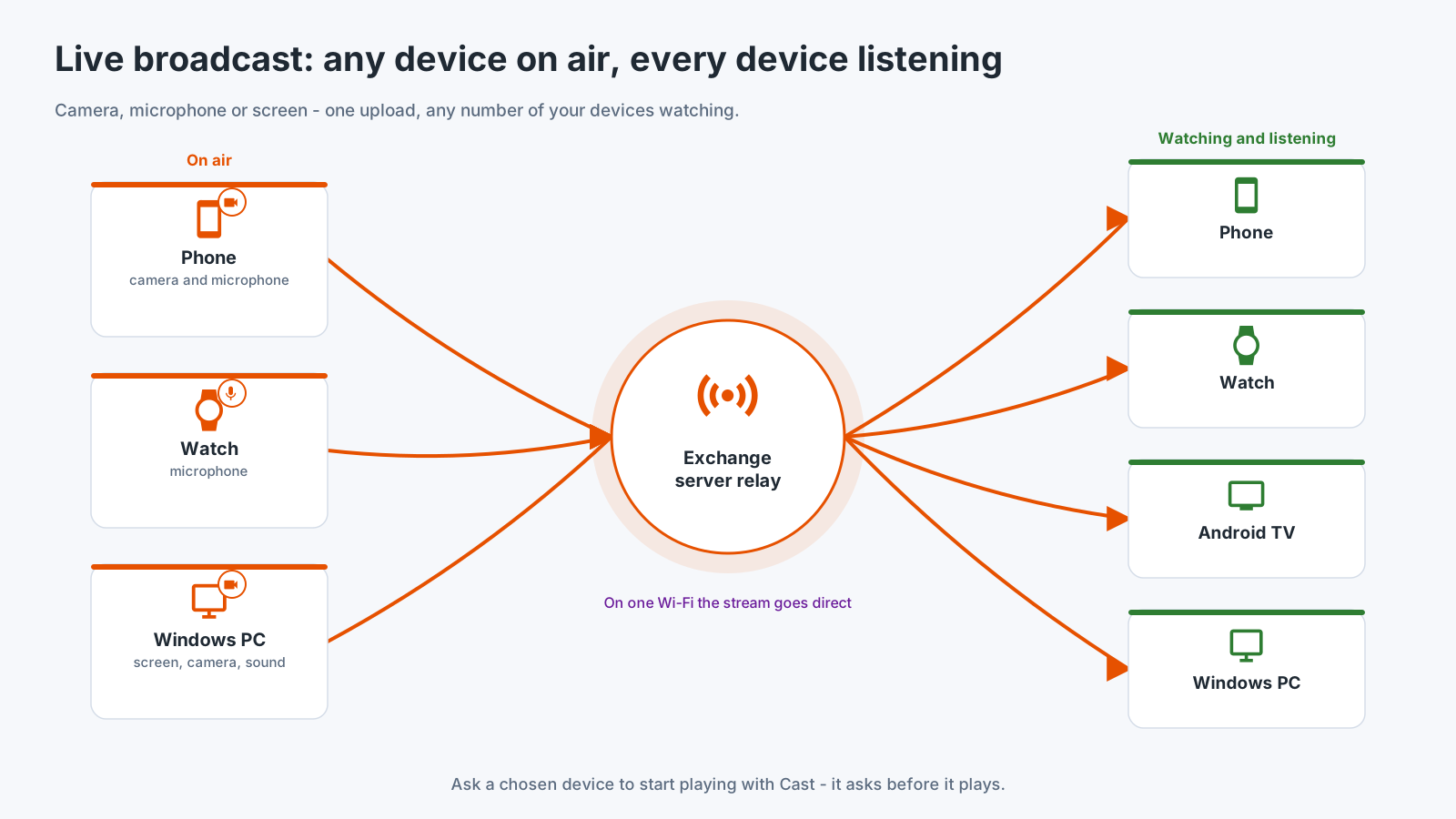
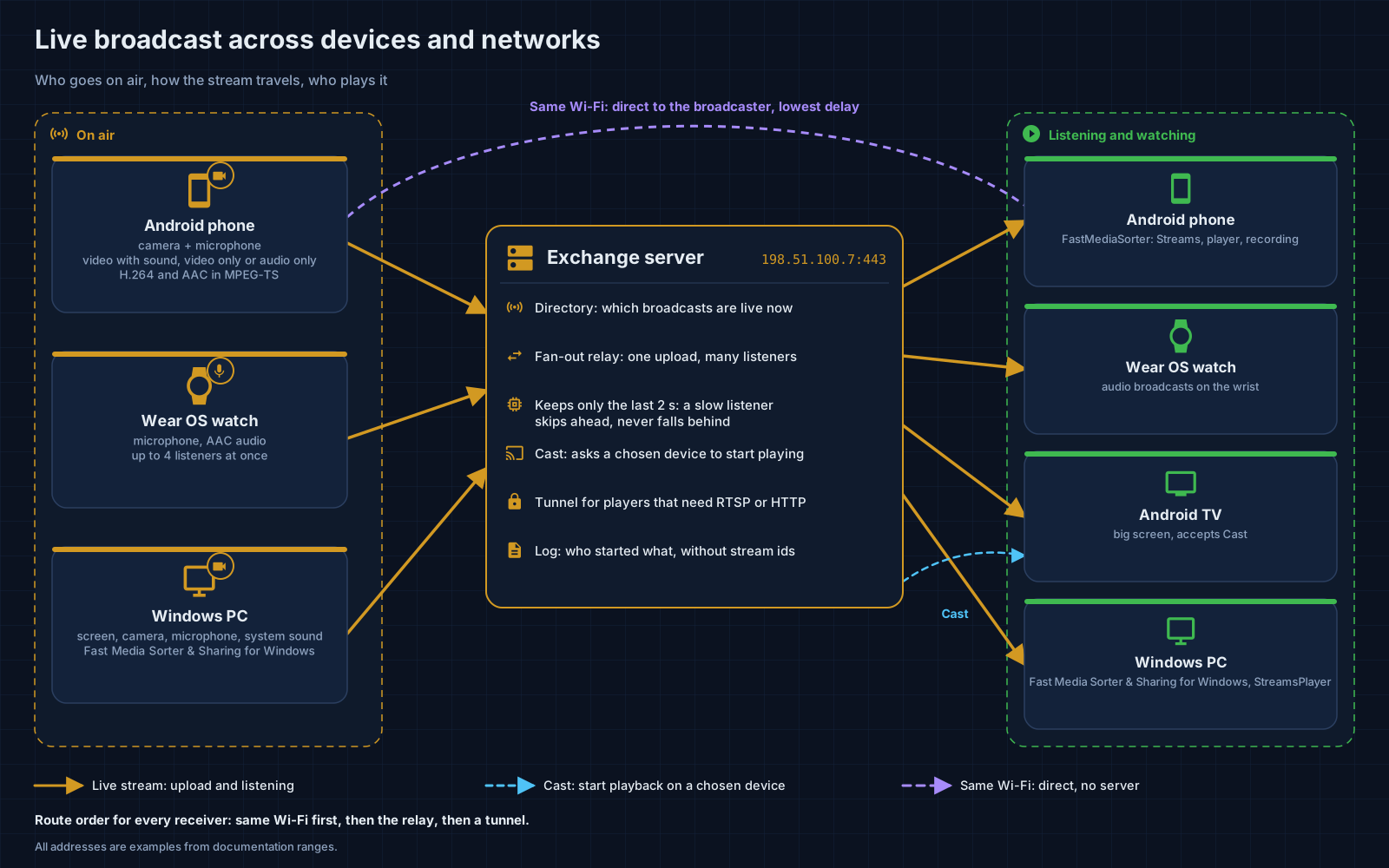
Who goes on air
- An Android phone - camera and microphone: video with sound, video only or audio only. The lens can be switched while on air. Available in the Standard, noLegal and Legacy editions, see Editions.
- A Wear OS watch - its microphone, to up to four listeners at once, from a tile or the programs grid of the watch.
- A Windows PC - screen, camera and system sound. Not available yet: the picture shows the PC on air, but Fast Media Sorter & Sharing for Windows does not broadcast yet. It is planned for Share Manager, after the exchange server.
Who plays it
- Another Android phone or tablet - in the Streams section of FastMediaSorter: scan the broadcast’s QR code, type the address shown under it, or open a shared broadcast link or a
.fmsbcastfile. - A Wear OS watch - the phone’s broadcast screen sends the running broadcast straight to the paired watch.
- An Android TV or a VR headset - in the Streams section of FastMediaSorter, the same way as on a phone.
- A Windows PC - in STREAMS Player. Development version only: the viewer of Fast Media Sorter & Sharing for Windows can already listen to the microphone broadcast of a phone or a watch on the same network. It is not in a release yet, it plays audio only, and no delay is promised.
How it travels
- On one Wi-Fi network a receiver connects to the broadcasting device directly, with the lowest delay. This is how broadcasting works today.
- Outside that network a receiver will go through the exchange server’s relay: one upload from the broadcaster, any number of listeners, and only the last two seconds kept, so a slow listener skips ahead instead of falling behind. Not available yet, because the exchange server is not available yet.
Cast
Chromecast works today. FastMediaSorter casts an open video, audio file, photo or a live stream to a Chromecast device on your network.
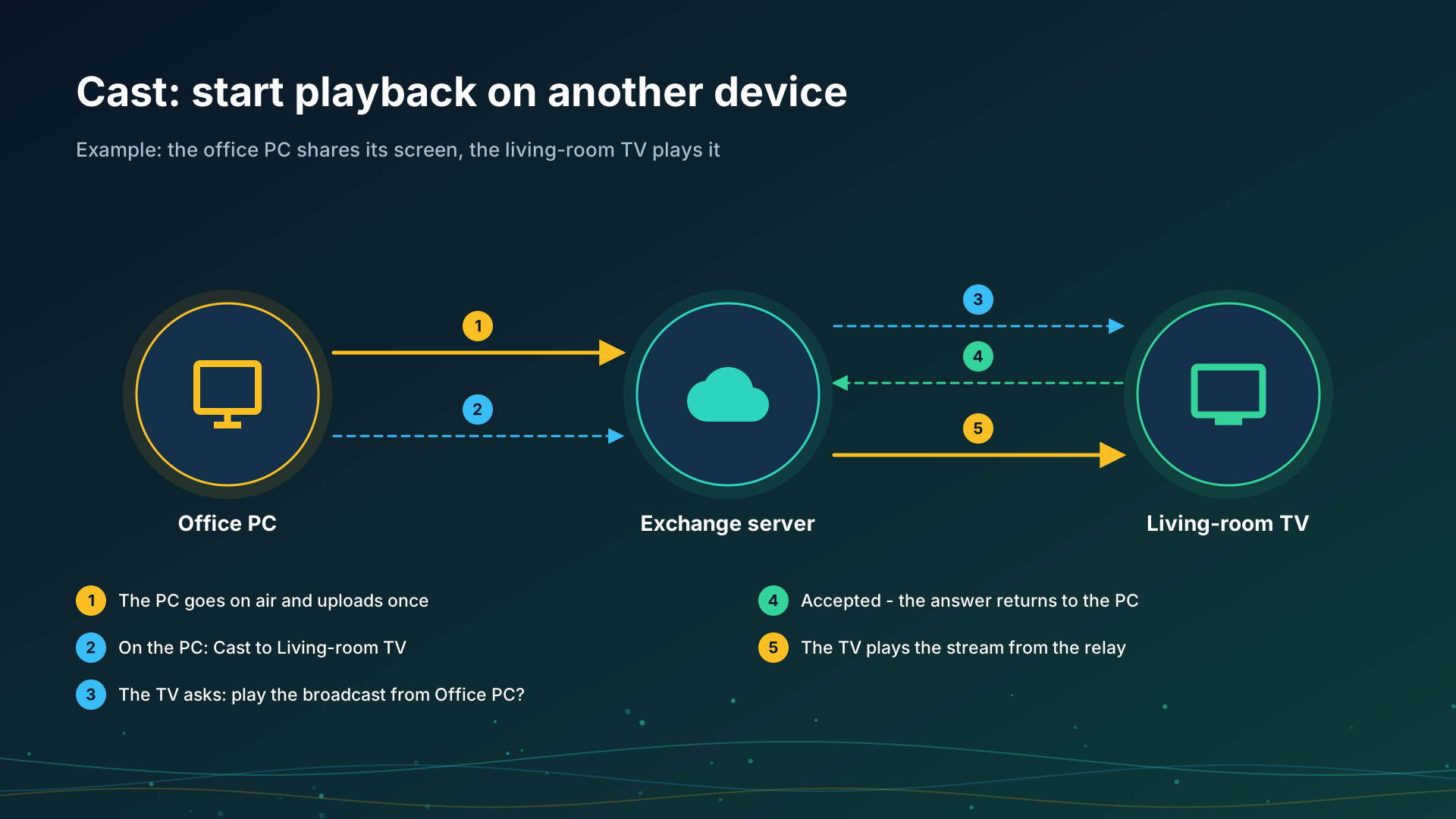
Cast between your own devices is not available yet. It will let one of your devices ask another to start playing a broadcast - for example, an office PC asks the living-room TV. The receiving device always asks before it plays.
Step-by-step guides
- Chromecast casting and live broadcast
- Streams on a TV, a watch or a VR headset, and tuning in to a live broadcast
- Listening through the watch and broadcasting from it
Back to the portal start page.